Curapod-M launched with a film, and we made that film with AI, starting from images of the real device. It played on the big screen when Curapod-M was revealed at its launch event at ITC Kohinoor in Hyderabad.
This is the behind-the-scenes version, told through our working board in Figma.
What is Curapod-M?
Curapod-M is a palm-sized red light therapy wearable for period pain. It uses red and near-infrared light from a panel of LEDs on its underside, a technique known as photobiomodulation, or PBM. It sits on a belt over the lower belly, and a companion app logs each session and tracks your cycle.
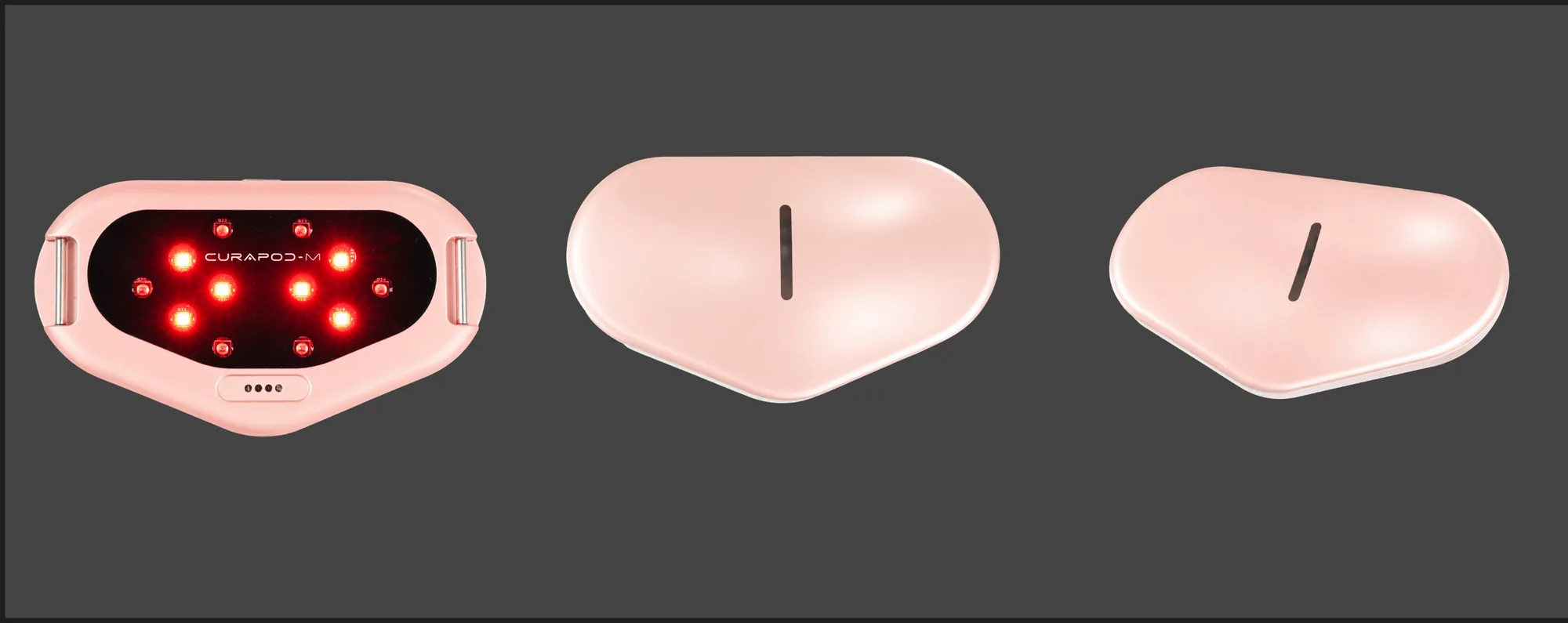
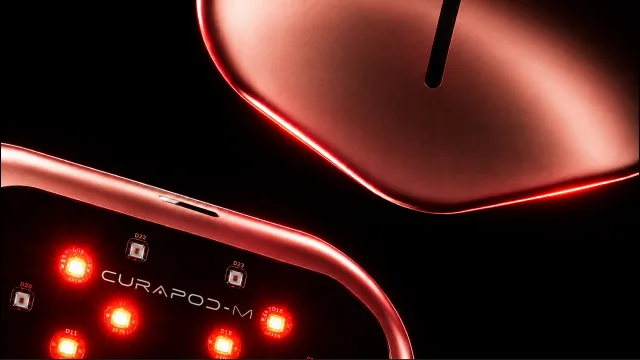
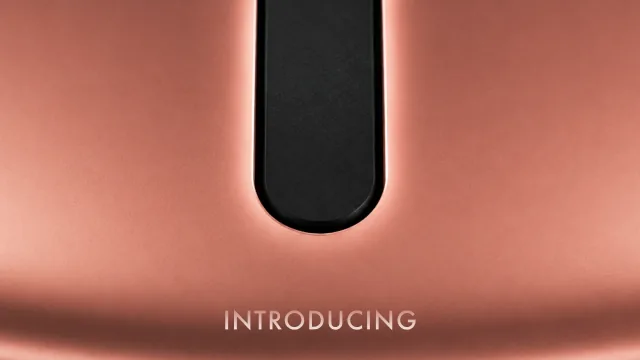
From the top, it’s a soft, rounded triangle in rose-gold with a single slot. Underneath, the CURAPOD-M name is printed among the LEDs.
What’s inside
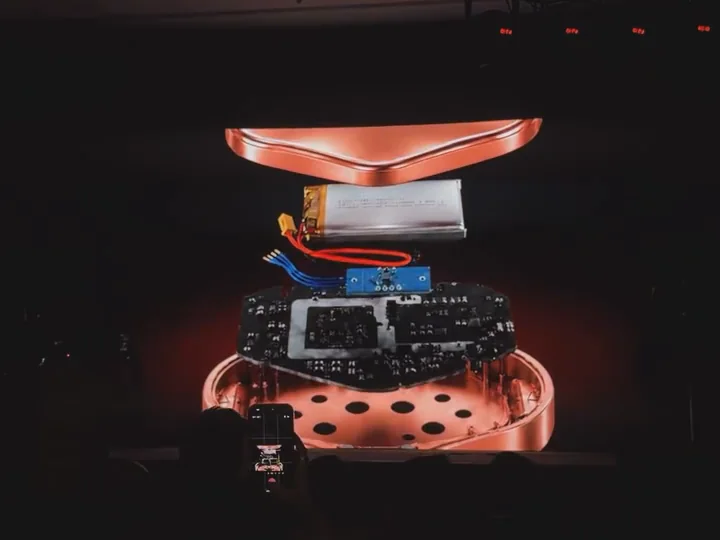
The film also takes the device apart. In its exploded view, Curapod-M separates into layers: the top shell, the battery, the circuit board and the LED base.
What is the Curapod-M launch film?
It’s a short AI-generated product launch film, planned as 13 shots from 0:00 to 0:52. Its job was to reveal Curapod-M on the big screen at the launch, to a room full of guests, creators and cameras, most of whom had never seen a device like it.
To do that, the film had five jobs:
- Reveal the product and its name.
- Explain the light, from the LEDs to the technology behind them.
- Show it in use: in the palm, on the belt, at the waist.
- Show the app, which logs each session and tracks your cycle.
- Make it everyday: small enough for a desk, a bag or a pocket.
Who the film is for: our persona
We wrote the film for one person and designed every shot around her.
Persona
Period pain, and a full day ahead
- Who she is
- A working woman who gets period cramps every month.
- Her day
- A desk, a handbag, a pair of jeans. She’s on the move, and cramps don’t get to cancel her plans.
- What she’s tired of
- Planning her day around pain, and period products that feel clinical or talk down to her.
- What she wants to know
- What it is, how it works, how she’d wear it, and whether it fits her day.
There was a second audience too: the launch room. Guests, partners and creators would see the film once, on a big screen, and it had to land in that moment.
The room is why the film is built like a reveal. She is why it ends in everyday life.
The research: finding the right story
Before generating a single frame, we built a reference board. It’s still in our Figma file: reference videos of product launches, a study of the product reveal arc, in-hand shots, other short product films, and lighting references for a shine pan and texture shadows.
Three findings shaped the story:
- Great reveals hold the product back. The strongest launch films build anticipation before the hero shot, so we open on light and let the device arrive later.
- Period care often looks clinical, or coy. We went the other way and shot Curapod-M like a flagship tech launch, with the confidence of a phone reveal.
- Scale is hard to sell on screen. A device on a black background could be any size, so we planned shots in hands, on a desk, in a bag and in a pocket.
The storyline: light, product, body, life
The five jobs became a story in four acts. Each act moves a step closer to her: from an idea, to an object, to a body, to an ordinary day.
Act 1 · 0:00
Light
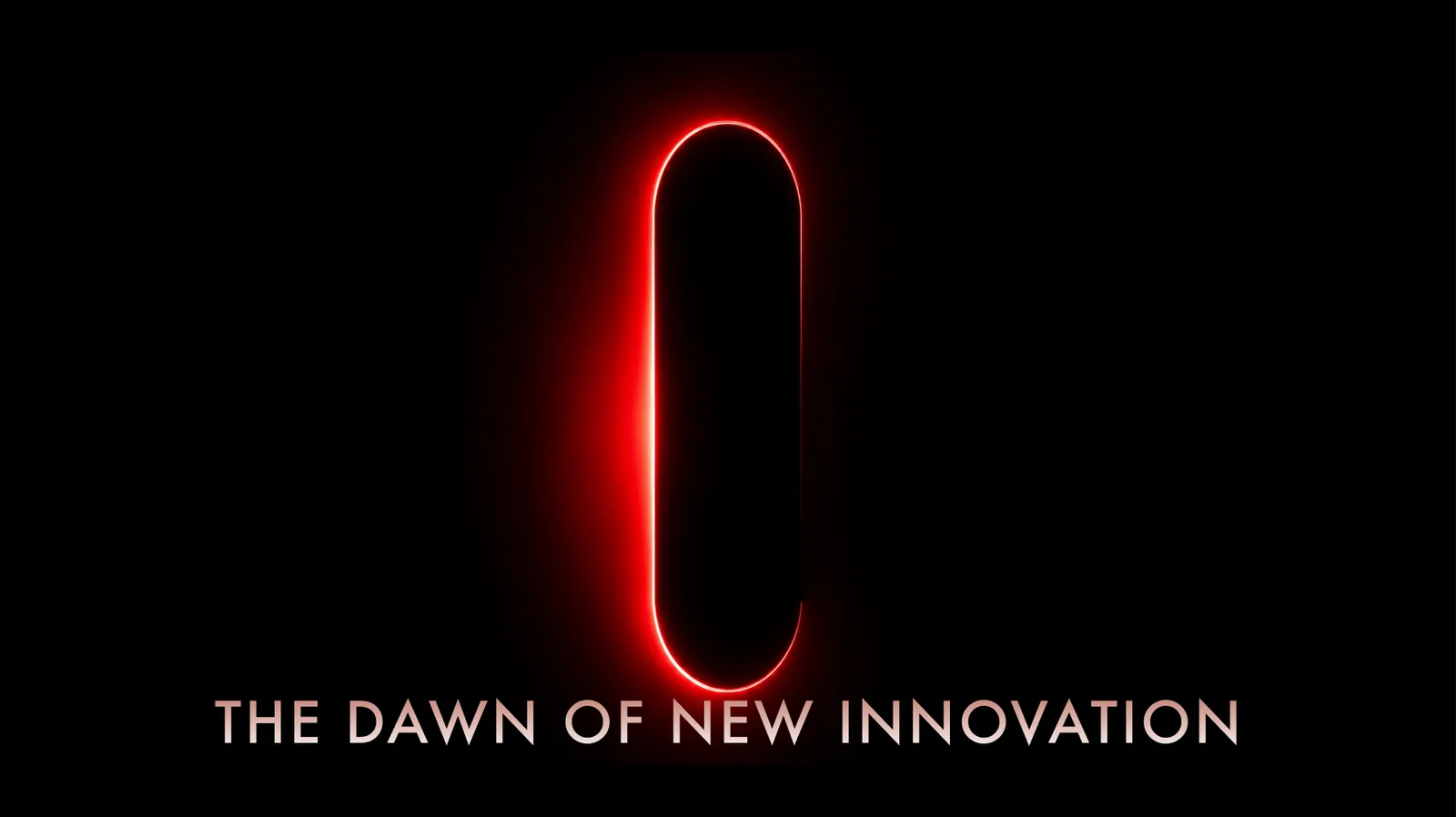
Darkness and a single line of red light. There’s no product yet, only a promise: “The dawn of new innovation.”
Act 2 · 0:05
The product
The light becomes the device: its name, its reflection and its LED side, then the claim and the technology behind it, photobiomodulation.
Act 3 · 0:34
The body
The device moves into two hands, then onto the belt at the waist. A silhouette, with the belt glowing, carries the moment of relief.
Act 4 · 0:45
Everyday life
The app logs the session and tracks the cycle. Then the device leaves the stage for a desk, a handbag and a jeans pocket: “Compact.” “Portable.” “Fits anywhere.”
Read quickly, the four acts are the whole pitch: a new kind of light, in a small device, that you wear, and that fits into your day.
Why this storytelling wins
- It answers her questions in the order she asks them. What is it, how does it work, how do I wear it, does it fit my life? The four acts answer exactly those, in that order, so nobody gets left behind.
- It was built for the room. The film was the reveal, on a big screen in a dark hall. Opening on darkness and one line of light gives the room something to lean into before the product appears.
- It sells relief, not specifications. The technology gets its moment, but the story doesn’t end on LEDs. It ends on a desk, a handbag and a pocket, because what matters with period pain is getting on with your day.
- It treats period pain with dignity. No clinical close-ups, nothing awkward. The body appears in silhouette, the light is warm, and the product is shot like a flagship device.
- It keeps to one idea per shot. Each shot carries one thought and a line of one to five words, which reads on a big screen over the noise of an event and still works when the film is cut down into shorts.
How the film opens: a single line of red light
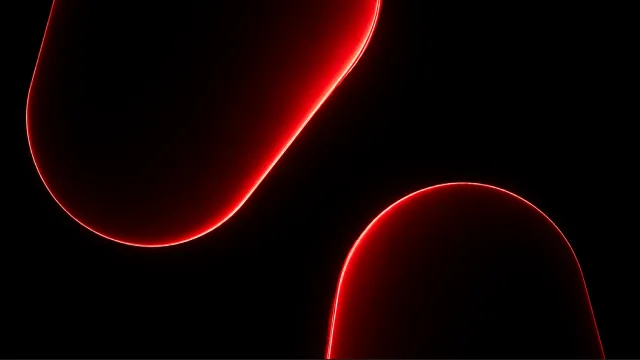
The film opens in the dark. A capsule outline glows red, and a single line sits beneath it: “The dawn of new innovation.” That opening frame came out of ChatGPT’s image generator.
It’s the same red as the device’s LEDs, so the first thing on screen is the thing that does the work, before the product itself appears.
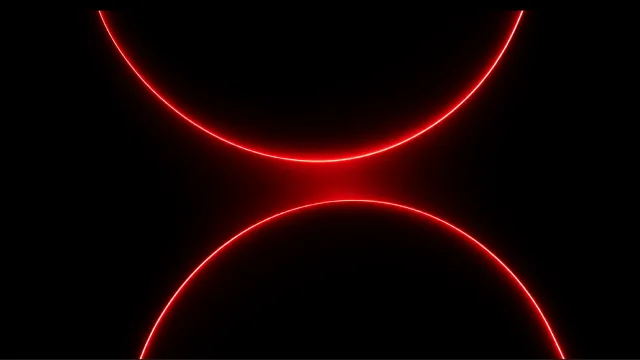
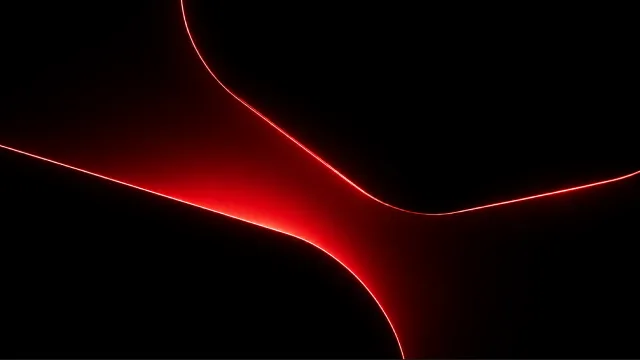
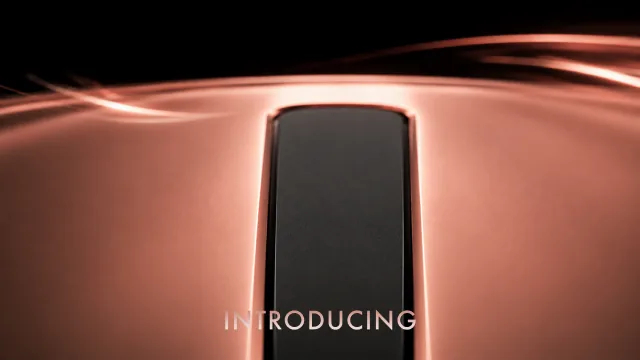
From there, the line of light splits and bends. It becomes two arcs, then soft rounded forms, then the curve of the device’s own outline.
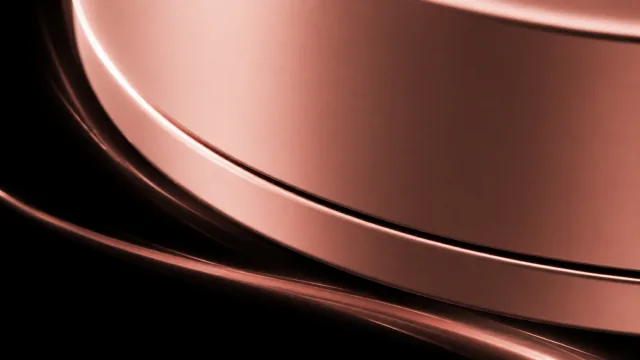
Only then does the product arrive: rose-gold surfaces in close-up, the CURAPOD-M name printed among the LEDs, and a single word, “Introducing.”
Why these visuals: the design logic
Most of the visual choices come back to one idea: the light is what makes Curapod-M work, so the light leads. Its red runs from the first frame through the macro shots, the LED close-ups and the glow at the waist, until it becomes the film’s signature.
The first shape on screen matters too. It’s a capsule: the shape of a pod, and the shape most people associate with pain relief. Over the next few seconds it bends into the outline of Curapod-M, so a familiar shape becomes a new one.
| Decision | Why |
|---|---|
| Open on red light, not the product | The light is how Curapod-M works, so the mechanism is the first thing people see. |
| A capsule that becomes the device | It starts from a shape everyone associates with pain relief and ends on a new one. |
| Black backgrounds and macro close-ups | The visual language of a flagship device launch. It says “engineered”, not “gadget”. |
| Rose-gold and warm light | Personal and premium, closer to jewellery or a phone than to medical equipment. |
| An exploded view | Real hardware inside (a battery, a circuit board, an LED base) makes a new category feel engineered and trustworthy. |
| Silhouettes for the body | Shows how it’s worn and what relief looks like, with dignity, so anyone can see themselves in it. |
| Daylight for the ending | The device leaves the stage and joins real life: a desk, a handbag, a pocket. |
| Short lines in spaced capitals | Quiet and confident. They read at a glance on a big screen and leave the picture to do the work. |
Typography
The board has a separate section just for text, with every line pinned to the timecode where it appears. Option one is labelled “cleanest & safest”: Darker Grotesque in capitals with 5% letter spacing, set small and low in the frame. The lines are short, between one and five words, so they read at a glance and leave the picture to do the rest.
Our process, step by step
Research and references
Reference videos, reveal arcs, in-hand shots and lighting studies, collected on one Figma board.
Persona and storyline
One person to design for, five jobs for the film, and four acts to carry them.
Product references
Clean images of the real device from every angle, with its real size written down: 11 cm.
Stills
Every shot designed as a still first, in Nano Banana Pro and ChatGPT Images 2.5.
Fix pass
Each still checked against the real product for invented details, size, the belt and background colour.
Motion
Approved stills turned into moving shots with Seedance 2.5, using image-to-video.
Edit and text
Shots cut to the plan, with one short line per idea, pinned to its timecode.
The reveal
The finished film played on the big screen at the launch in Hyderabad.
How we used AI: Nano Banana Pro, ChatGPT Images 2.5 and Seedance 2.5
We used three models, each for a different part of the job.
Stills
Nano Banana Pro
Image generation and editing that can work from many reference images at once and keep a subject consistent across them. That consistency is what a real product needs from shot to shot.
Stills
ChatGPT Images 2.5
Image generation and editing inside ChatGPT. It holds on to the subject of a reference photo and makes precise edits across several turns, which is useful when a still is almost right.
Motion
Seedance 2.5
Video generation. We used it for image-to-video, turning approved stills into moving shots. It also takes reference images alongside the prompt, which helps a product stay itself in motion.
AI was brilliant at light, material and mood: the glow of the LEDs, the sheen on rose-gold, macro detail. It wasn’t reliable about the product itself. Shape, size, the belt and the colour of a background all needed checking.
So the split was simple. AI generated the frames. The story, the sequence and the judgement calls were ours.
Product consistency: what the AI got wrong
AI is very good at making a product look beautiful. It’s much less reliable at keeping it the same product from one shot to the next. Curapod-M’s shape is easy to get almost right, and almost right isn’t good enough when guests will be holding the real thing.
So the board keeps the real device in view, with angle references for the left side, middle, right side and a three-quarter view from each side. Our notes record what went wrong. Most are only a few words long.
“hallucination”
Invented details
Some generations added things the device doesn’t have. A beautiful shot of the wrong product is still the wrong product, and those shots got one word on the board.
“size 11 cm”“this still looks small”
The wrong size
The device kept coming out smaller than it is. The board pins its real size, 11 cm, next to a size reference, and the film keeps showing it against things everyone knows the size of: two hands, a desk, a handbag, a jeans pocket.
“add a belt as well”“make the belt thick”
The missing belt
Curapod-M is worn on a belt, but some generations left the belt out and others drew it too thin. Without it, the device just floats against the body, and the film stops explaining how you wear it.
“match bg colour with product”
Backgrounds from another film
A scene can be well lit and still look like it belongs to a different film. Matching backgrounds to the product is why so many scenes glow in the same warm red and rose-gold as the device.
A few notes are about light rather than mistakes: a “shine pan” across the surface, and texture and shadows so the metal reads as metal.
Planning the transitions before generating the shots
A film made of separate generations can easily feel like a slideshow. The notes that deal with that are about movement rather than pictures:
- “zoom in transition on the led diode”
- “phone turns around”
- “app screenshots”
- “phone back is then morphed into product”
- “zoom out to desk”
Each one gives a shot a job. Zooming into a single LED takes you inside the technology. The phone turns around to show the app, then its back becomes the device, so the product never really leaves the screen. Zooming out to a desk brings you back to everyday life for the last run of shots.
Writing transitions down first also tells you what the shots on either side need to look like. If a phone has to turn into the device, the two need to share a shape, a colour and a place in the frame.
The Curapod-M launch film, shot by shot (0:00–0:52)
Here’s the full plan from the board, with the timecode where each line comes in. A few lines changed in the final cut (at the launch, the film said “Now In Your Hands” and “Compact & Portable”), so read this as the plan rather than a transcript.
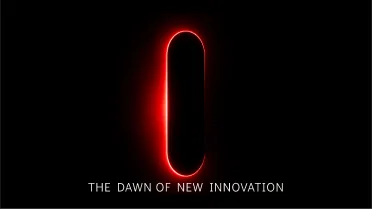
“The dawn of new innovation.” A capsule of red light in the dark.
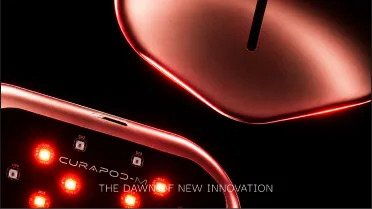
The light becomes the device: its LEDs and the CURAPOD-M name.
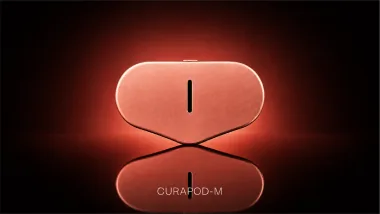
“Curapod-M.” The device and its reflection.
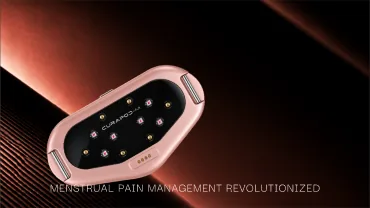
“Menstrual pain management revolutionized.” The LED side, lit.
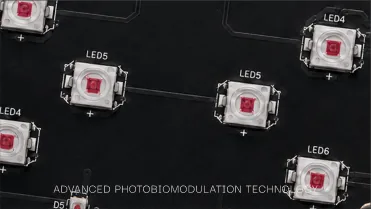
“Advanced photobiomodulation technology.” The LED board, up close.
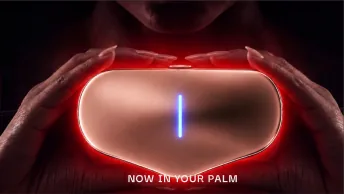
“Now in your palm.” Held in two hands, glowing.
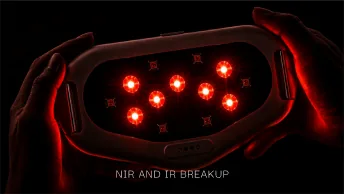
“NIR and IR breakup.” The LEDs lit, near-infrared and infrared.
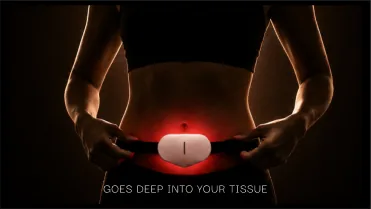
“Goes deep into your tissue.” Worn on the belt.
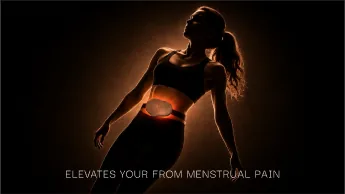
The relief beat: a silhouette, the belt glowing at the waist.
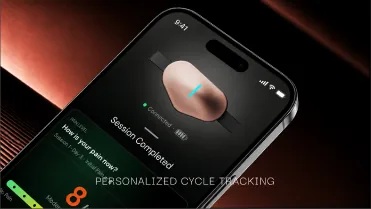
“Personalized cycle tracking.” The app on a phone.
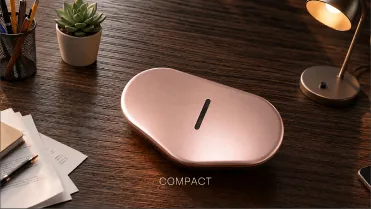
“Compact.” On a desk.
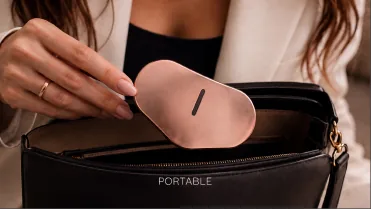
“Portable.” Into a handbag.
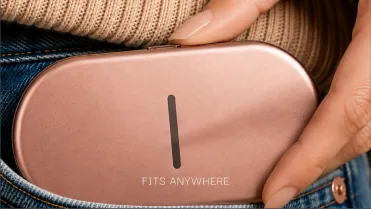
“Fits anywhere.” At a jeans pocket.
The launch: Curapod-M revealed in Hyderabad
Curapod-M was revealed at a launch event at ITC Kohinoor in Hyderabad, and the film played on the big screen during the reveal. Several guests filmed it on their phones, which is where this clip comes from.
6 lessons for making a product launch film with AI
- Give the AI the product from every side. One reference gets you a lookalike. A full set of angles gets you the product.
- Write down the real size, then show it. A number on the board helps, but hands, desks, bags and pockets are what make size believable on screen.
- List the parts that must be in every shot. For Curapod-M, that was the belt. If a part explains how the product works, check for it in every generation.
- Plan transitions before you generate. Knowing that a shot has to zoom into an LED or turn into a phone tells you what its first and last frames need to be.
- Let the product’s colour carry the film. The red of its LEDs and the rose-gold of its shell run through every shot, and that’s what holds a film made of separate generations together.
- Keep the board. Ours planned the film, kept track of the fixes, and still holds the final images.
What we like about this project is how much of the work is invisible. Nobody watching the reveal thinks about the size of the device, the thickness of a belt or the colour of a background. They just see Curapod-M, looking like itself.
That was the job.
Curapod-M and the launch film: FAQ
How does Curapod-M use light therapy?
Curapod-M uses red and near-infrared light from a panel of LEDs on its underside, a technique known as photobiomodulation (PBM). You wear it on a belt over the lower belly, and a companion app logs each session and tracks your cycle.
Was the Curapod-M launch film made with AI?
Yes. We made the stills with Nano Banana Pro and ChatGPT Images 2.5, and turned them into motion with Seedance 2.5 using image-to-video, starting from images of the real device.
What is the storyline of the Curapod-M launch film?
It’s told in four acts: light, product, body and everyday life. It opens on a single line of red light, reveals the device and its technology, shows it in the hand and on the body, and ends with the app and the device on a desk, in a handbag and in a pocket.
Why does the Curapod-M launch film open on red light?
Red light is how Curapod-M works, so the film makes the mechanism the first thing on screen, before the product appears. The same red then becomes the film’s visual signature.
Who is the Curapod-M launch film for?
A working woman who gets period cramps every month and has a full day ahead. The film answers her questions in order: what it is, how it works, how she’d wear it, and whether it fits her day.
How long is the Curapod-M launch film?
The shot plan on our board has 13 shots, running from 0:00 to 0:52.
Where was Curapod-M launched?
At a launch event at ITC Kohinoor in Hyderabad, where the film played on the big screen during the reveal.
How do you keep a product consistent in AI-generated shots?
Give the AI the product from every side, write down its real size and show it against familiar objects, list the parts that must appear in every shot, and plan transitions before you generate.
More from Pandora’s Box
- How I brought my dead pet to life on Codex: an animated Codex pet made from one photo of my dog, Sheena.
- Open Canvas, a node-based video editor that runs in the browser.
- actionables.ai on Instagram : prompts for AI product commercials, posted as Reels.